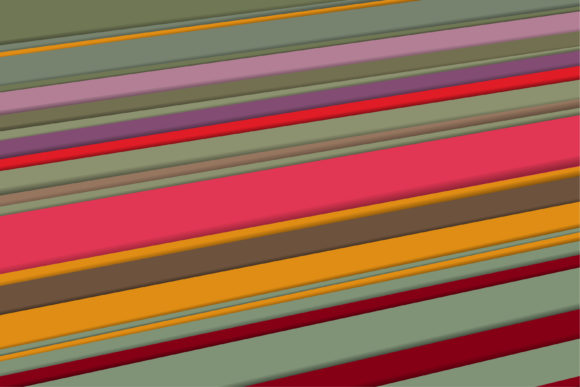
Flat Color Diagonal Background: A Simple Design Element That Can Transform Your Visuals
What Is a Flat Color Diagonal Background and Why Does It Matter?
In digital design, standing out without overwhelming your audience is a constant balancing act. A flat color diagonal background is exactly what it sounds like: a design background that uses two or more solid (flat) colors separated by a diagonal line. It is not a gradient or a complex texture—just crisp, unblended colors meeting at an angle. This minimal yet striking technique has become a favorite among designers because it adds energy and direction to layouts while keeping the aesthetic clean and modern.
But more than just a trend, the flat color diagonal background is a practical tool for anyone who creates visual content—whether you build websites, design social media posts, craft presentations, or produce marketing materials. It solves several common creative challenges without requiring advanced design skills or expensive software.
For adults seeking practical answers, this article breaks down what this design approach can do for you, when to use it, and how to implement it effectively.
Common Challenges in Visual Design That a Flat Color Diagonal Background Can Address
Many professionals—from small business owners to marketing managers—face similar headaches when creating visuals:
- Visual monotony: Solid one-color backgrounds can feel flat and forgettable, especially when you need to hold attention.
- Lack of structure: Without some form of division, your content can look cluttered or unstructured, making it hard for viewers to know where to focus.
- Time constraints: You need a solution that looks polished but doesn’t require hours of tweaking gradients, drop shadows, or complex illustrations.
- Brand consistency: You want to use your brand colors, but you also need a way to create variety across different media.
- Budget limitations: Custom graphics and photography can be expensive. A simple background technique can add sophistication without added cost.
A flat color diagonal background directly addresses each of these issues. It injects movement into static pages, organizes content by creating natural sections, takes only minutes to produce, works with any color palette, and costs nothing beyond your existing tools.
How a Flat Color Diagonal Background Helps You Achieve Your Goals
The diagonal line naturally guides the viewer’s eye from one corner to the opposite side, creating a sense of direction that a plain horizontal or vertical split cannot match. This subtle directional cue can be used to lead attention toward a call-to-action button, a headline, or a product image.
Because the colors are flat (not gradients), the design loads faster on websites, reproduces cleanly in print, and remains accessible for users with visual impairments when contrast is managed properly. The diagonal split also adds perceived depth without using three-dimensional effects, keeping your visuals lightweight and responsive.
For those focused on user experience, a flat color diagonal background can help reduce cognitive load. The clear separation between two color blocks creates distinct zones for different types of content—for example, placing text on one side and an image on the other. This structure makes it easier for viewers to scan and absorb information quickly.
Practical Applications: Where a Flat Color Diagonal Background Works Best
This design technique is versatile and can be applied across many formats. Here are some of the most effective use cases:
Website Hero Sections
Replace a full-width image with a diagonal split background behind your headline and description. It loads faster than large images, looks modern, and keeps the focus on your message. Many SaaS landing pages use this approach to convey energy while ensuring fast page speeds.
Social Media Graphics
Instagram posts, Facebook covers, LinkedIn banners—diagonal backgrounds make your content pop in crowded feeds. They are especially effective for quote posts, announcements, or product teasers where you want the text to be the star.
Presentations and Slide Decks
Instead of boring white backgrounds, add a diagonal color block behind section dividers or key data points. It adds professionalism and helps the audience remember transitions between topics.
Email Headers
An email header with a flat color diagonal background can increase click-through rates by creating a visual break from the rest of the email body. It works well for newsletters with limited graphics budget.
Infographics and Data Visualizations
Use diagonal color blocks as backgrounds for different chart sections or as a way to group related statistics. The diagonal line can even echo the direction of a trend line, reinforcing the data visually.
Video Thumbnails
YouTube thumbnail designers often rely on diagonal splits to separate a person’s face from a title or to create a sense of urgency. The high contrast between two flat colors grabs attention even on small screens.
Examples and Recommendations for Implementation
To get started, you don’t need to be a professional designer. Here are a few concrete examples and practical recommendations:
- For a clean hero section: Choose two brand colors with good contrast—one light (e.g., pale blue) and one dark (e.g., navy). Set the dark diagonal block on the left side where you place your headline, and the light block on the right with a call-to-action button. The diagonal line should run from top-left to bottom-right or bottom-left to top-right, depending on where you want the eye to travel.
- For social media graphics: Use tools like Canva or Figma, which offer preset diagonal background templates. Adjust the angle to about 30° or 45° for a dynamic feel; steeper angles work better for vertical layouts. Ensure the text color contrasts sufficiently against both color blocks—white text on a dark section and dark text on a light section is a safe rule.
- For website use: Implement a flat color diagonal background using CSS linear gradients with hard stops. Example code:
background: linear-gradient(135deg, #2C3E50 50%, #E74C3C 50%);This creates a clean diagonal split without any image file. It scales perfectly across all screen sizes and loads instantly. - For print materials: When creating flyers or business cards, design the diagonal background in vector software (Adobe Illustrator, Inkscape) to ensure sharp edges. Use paper stock that supports high-contrast colors, and test print to avoid bleeding at the diagonal seam.
How Different Users May Approach the Topic
The way you use a flat color diagonal background depends largely on your role and technical comfort level:
Non-designers (entrepreneurs, educators, small business owners): You likely need a quick and reliable way to improve visuals without learning complex software. For you, template-based tools like Canva or Adobe Express are ideal. Start with a pre-made diagonal background, swap in your brand colors, and add text. Focus on maintaining readability—use high-contrast color pairs and avoid putting critical text directly on the diagonal line.
Marketing and communications professionals: Your goal is often to increase engagement and conversion rates. Use A/B testing to compare plain backgrounds versus flat color diagonal backgrounds in email headers or landing page hero sections. Track metrics like time on page, scroll depth, and click-through rates. You may find that the diagonal layout works best when paired with a clear focal point—e.g., a product image on one side and a headline on the other.
Web developers and designers: You have the skills to customize the diagonal background further. Consider using CSS clip-path for more complex angled shapes, or SVG backgrounds for scalability. You might also layer a subtle pattern or texture over one of the flat color blocks to add depth while keeping the overall look flat. Accessibility testing is critical—ensure that text placed over the diagonal line has sufficient contrast against both colors, especially near the seam.
Content creators for video and social media: Speed and trendiness matter. Use diagonal backgrounds to align with current visual styles (e.g., minimalist Modernism or bold retro vibes). Create a set of 10–20 templates with different color combinations and angles so you can quickly produce consistent content. Remember that on small screens (mobile), a steep diagonal may cause text to straddle both colors awkwardly—test your design on an actual phone before publishing.
Important Considerations for Best Results
While a flat color diagonal background is simple, there are a few nuances to keep in mind:
- Color contrast and accessibility: The diagonal split can make it tricky to place text that is legible across both sections. Always check your design with a contrast checker (e.g., WebAIM) to ensure compliance with WCAG guidelines, especially if the background is used behind primary content.
- Angle and direction: A diagonal from bottom-left to top-right (ascending) suggests progress and optimism; a descending diagonal may feel more dramatic or urgent. Choose the direction that matches your message. Avoid angles so shallow they look like a horizontal split, or angles so steep they feel unstable.
- Overuse and simplicity: Because diagonals are visually energetic, using them on every page or graphic can make your brand feel chaotic. Reserve the treatment for high-impact elements: hero sections, dividers, or key calls to action. On secondary pages, a solid white background with a small diagonal accent strip can maintain consistency without overwhelming.
- Responsive behavior: On websites, a diagonal background built with a CSS linear gradient will adapt automatically to different screen widths. However, if you use an image-based diagonal, it may distort or crop on mobile. Always prefer vector or CSS solutions for responsive designs.
- Brand alignment: Your chosen colors should still represent your brand. If your palette is very light, consider adding a deeper shade to one side to create enough contrast for the diagonal to be visible. A subtle diagonal using two neutrals (e.g., light gray and white) can add structure without screaming for attention.
Final Thoughts on Using Flat Color Diagonal Backgrounds
A flat color diagonal background is one of those rare design elements that balances simplicity with impact. It requires no advanced skills, no expensive assets, and no heavy code. Yet it can transform a plain layout into something that feels intentional, dynamic, and polished. Whether you are building a landing page, designing a slide deck, or creating social media content, this technique gives you a fast path to better visuals.
The key is to use it with purpose: to guide attention, to separate content zones, and to add a touch of energy without clutter. Start small—try one hero section or one social post with a diagonal background. Test how your audience responds. You might be surprised how such a straightforward choice can elevate your entire project.
And because flat color diagonal backgrounds are fundamentally about using solid colors with a diagonal cut, you can always adapt them to any tool, any budget, and any skill level. That is what makes them a reliable resource for anyone who wants to improve their visual communication today.