3D Polygon Logos for Business Branding
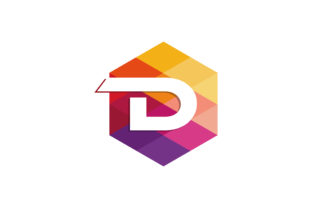
A business logo built with 3D polygon design uses geometric shapes—triangles, hexagons, faceted surfaces—to create a dimensional, modern look. Instead of flat two-dimensional icons or text, polygon logos layer shapes at different angles, adding depth, light, and texture. This approach turns a simple mark into something that feels structural, almost architectural. For many brands, this style signals innovation, precision, and forward thinking. It is not just a trend; it is a visual language that communicates complexity in a clean way.
Why Polygon Design Matters in Branding
Logos are often the first impression a business makes. A 3D polygon logo stands out because it looks tactile even on a screen. The facets catch the eye like a cut gem, and the geometry suggests order and reliability. For a startup trying to appear established, this style can add perceived value without needing a complicated illustration. For a creative agency, a polygon logo can showcase technical skill and artistic flair. The common thread is that polygon design makes a brand look intentional and polished.
Different audiences connect with this style for different reasons. A small business owner might care most about how affordable it is to create. A professional designer might focus on the flexibility to adjust angles and lighting. A marketer might evaluate how the logo reads in black and white versus full color. A hobbyist exploring logo creation may enjoy the learning curve and the satisfaction of building something from scratch. Each person brings a unique priority, and polygon design can serve all of them when approached with the right tools and expectations.
Beginners: Starting Accessible, Growing with Practice
If you are new to logo design, the idea of 3D polygon shapes might seem intimidating. But many beginner-friendly tools offer pre-built polygon templates. You can take a basic shape, adjust the color, and rotate it to create a faceted effect without touching advanced 3D software. The priority here is ease of use and low cost. Free online editors and mobile apps now include polygon logo generators. You select a base icon, apply a polygon filter, and export a usable mark. This makes the style accessible even if you have no design background.
Over time, as you become more comfortable, you can experiment with custom facets, gradients, and shading. A beginner might start with a simple triangle-based logo for a personal blog, then later refine it into a more complex shape for a freelance service. The learning value is high because polygon design teaches you about light, shadow, and composition—skills that transfer to other design work.
Creators and Freelancers: Balancing Quality with Speed
For creators and freelancers, time is often as valuable as money. A 3D polygon logo can be produced quickly using vector tools like Adobe Illustrator or Affinity Designer. You draw a polygon mesh, apply gradients, and add highlights manually. The advantage is full control over the final look. You can adjust the angle of every facet to control how light hits the logo. This level of flexibility allows you to create something truly custom for each client.
If you run a side hustle or work as a freelance brand consultant, you might also value commercial value. A polygon logo can command a higher price because it looks complex and premium. Yet, once you master the technique, it does not take much longer to produce than a flat logo. The trick is to use reusable polygon grids and gradient presets, then tweak the colors and arrangement per project. This makes the process faster while keeping results unique.
Entrepreneurs and Small Business Owners: Cost and Long-Term Use
When you launch a business, every dollar counts. A 3D polygon logo can be a cost-effective choice because it works well without expensive illustration. Many entrepreneurs use online services that generate polygon logos for a flat fee. The key is to check if you receive vector files, not just low-resolution images. Vector files allow you to scale the logo for a business card, a website, or a billboard without losing clarity.
Reliability is another concern for business owners. A polygon logo should look good across all mediums. Test how it appears in single color, reversed out of a dark background, and at very small sizes. Some intricate polygon designs lose definition when scaled down. A good designer or tool will simplify the facets enough to maintain legibility. If you plan to use the logo for years, ask about file formats, copyright, and editable source files. This ensures the logo remains useful even if your brand evolves.
Professional Designers: Crafting Depth and Precision
For experienced designers, 3D polygon logos are an opportunity to push creative boundaries. You can build logos that interact with light in dynamic ways—using isometric views, folded surfaces, or layered transparency. The priority shifts to quality and creativity. Professional tools like Blender or Cinema 4D allow you to model a logo in full 3D, then render it with realistic lighting. This produces a result that feels alive, with shadows and highlights that change as the viewer moves.
Another consideration is presentation. A polygon logo looks striking in a portfolio. It shows potential clients that you understand geometry, composition, and modern aesthetics. You can also create animated versions where the logo rotates or reflects light gradually. For digital-first brands, this adds a layer of polish that flat logos cannot match. The trade-off is that full 3D modeling takes more time and requires specialized skills. But for high-end branding projects, the investment can pay off in client satisfaction and referrals.
Educators and Hobbyists: Learning and Exploration
Polygon design also serves an educational purpose. If you teach design or run a workshop, 3D polygon logos are a great project for students. They combine basic geometry with digital tools, making abstract concepts like lighting and perspective concrete. A hobbyist can spend an afternoon creating a simple polygon shape and feel a real sense of accomplishment. The learning value is high, and the barrier to entry is low with free software like Inkscape or Tinkercad.
For hobbyists, the priority might be fun and self-expression. You might not need a logo for anything commercial, but building one helps you understand design principles. You can experiment with asymmetrical polygons, bright gradients, or monochrome facets. The process itself is rewarding, and you end up with a visual asset you can use for a personal project, a social media avatar, or a club badge.
Practical Examples by Use Case
Imagine a freelance photographer starting a website. They want a logo that feels modern and professional. Using a polygon logo generator, they select a camera icon, apply a hexagonal facet pattern, and choose a deep blue gradient. The result is a logo that looks clean and dimensional without any illustration skills. The cost is under fifty dollars, and the file works for both the website header and the watermark on photos. This is a practical fit for someone who values speed and affordability.
Now consider a tech startup building a productivity app. They work with a professional designer to create a custom polygon logo inspired by a folded paper airplane. The logo is rendered in 3D software, with subtle reflections and a metallic gradient. The same logo is then simplified into a flat version for the app icon. The startup gains a unique look that differentiates them from competitors with generic icons. Here, the priority is distinctiveness and scalability across platforms.
Think about a graphic design student working on a portfolio project. They choose to create a series of polygon logos for fictional brands. Each logo explores a different geometric structure: pyramids, geodesic domes, and faceted birds. They learn about mesh topology, color theory, and rendering. The project helps them land an internship because it shows technical curiosity. In this case, the learning value and creative exploration are the main benefits.
Choosing the Right Approach for Your Needs
The best way to decide if 3D polygon design fits your project is to examine your goals. If you need a logo quickly and cheaply, a template-based service works well. If you want a logo that stands out and feels custom, investing in a designer or learning 3D software is worth the time. Evaluate your skill level: beginners should start with simpler shapes and add complexity later. Professionals can push toward realism and animation.
Consider the context where the logo will appear. A polygon logo with many small facets may lose detail on a mobile screen or a pen. Test it at different sizes. Also think about brand personality. Sharp angular shapes suit technology, gaming, or architecture brands. Softer, rounded polygons work for lifestyle, wellness, or education businesses. The polygon style is versatile but not universal. If your brand values warmth and approachability, too many sharp edges might feel cold. You can soften the look by using curved polygon edges or warm color palettes.
Long-term usefulness matters too. A logo should survive changes in design trends. Polygon logos have been strong for a decade and continue to evolve, especially as 3D becomes more accessible. If you invest in a vector-based polygon logo, you can update it later by adjusting colors or gradients without starting over. This makes it a safe choice for brands that plan to grow slowly and steadily.
Final Thoughts on 3D Polygon Business Logos
3D polygon design offers a flexible, modern path for business logo creation. It combines the precision of geometry with the impact of depth. Whether you are a beginner exploring design for the first time, a freelancer looking to impress clients, or a business owner wanting a standout mark, this style can meet you where you are. The key is to match the tool and technique to your specific needs—not to force a style that does not fit your brand or your skill set. By understanding what polygon logos can and cannot do, you make a choice that serves your project both now and in the long run.